The deal is almost closed. Your B2B SaaS already does SSO, so the prospect logs in with Azure Entra ID or Auth0 and everyone is happy. Then their security team sends the vendor assessment, and one question stops the momentum cold: how are user accounts created, kept current, and removed when someone leaves? "Their IT admin does it by hand" is the answer that stalls the deal. Closing that gap is what SCIM is for.
SSO answers the question "who is this person?". SCIM answers a different one: "should this person have an account at all, and is it still up to date?" SSO is authentication. SCIM is the whole user lifecycle. Enterprise buyers expect both, and they will ask for both on the same vendor security assessment.
What is SCIM provisioning?
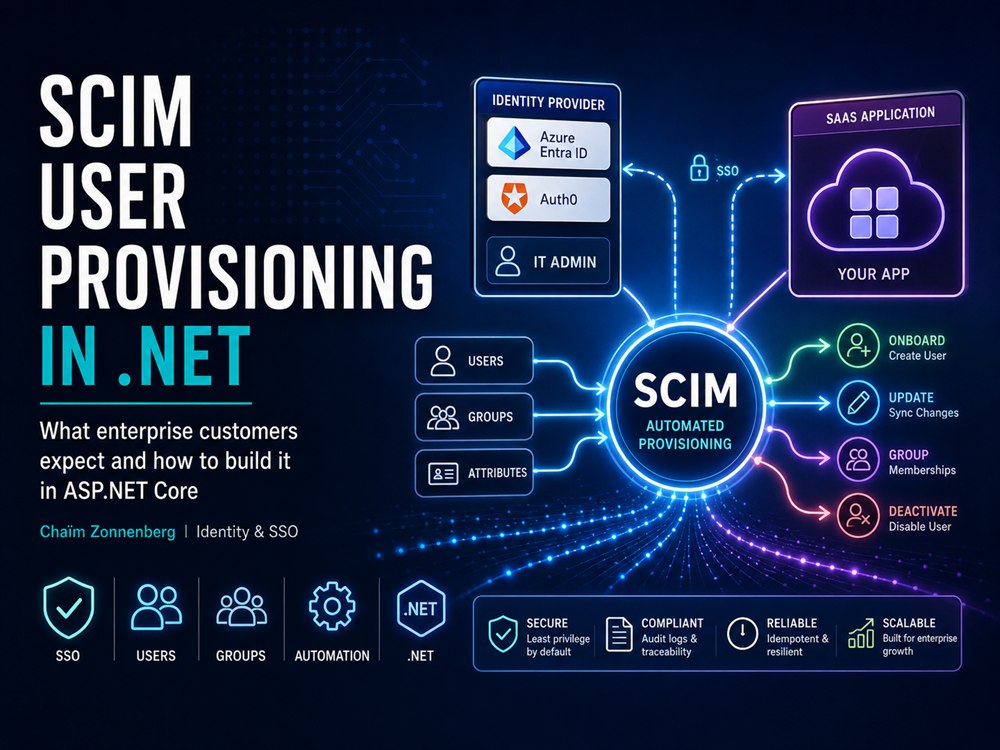
SCIM stands for System for Cross-domain Identity Management. It is an open standard for automating user provisioning: in practice, a REST API that identity providers like Azure Entra ID and Auth0 call to create, update, and deactivate user accounts in your application. The current version is SCIM 2.0 (RFC 7642, 7643 and 7644), which defines User and Group resources with a standard JSON schema, CRUD over REST endpoints, and filtering for lookups.
That is the whole promise: the identity provider owns the user lifecycle, and your application is told about every change as it happens, instead of waiting for an admin to remember.
Why do enterprise customers require SCIM?
Picture a company with 2,000 employees adopting your SaaS without SCIM. The IT admin creates 2,000 accounts by hand, or uploads a CSV if you happened to build that. After that, it is all manual. New hires, department changes, people walking out the door on their last day: someone has to remember to reflect each of those in your app. When the security audit asks how offboarded employees lose access, the honest answer is "we hope the IT admin remembers."
That answer used to be tolerated. It is not anymore. Prompt, auditable removal of access when someone leaves is now an explicit control in the standards large enterprises are certified against: SOC 2 (criteria CC6.2 and CC6.3, where auditors pull a sample of leavers and expect access gone within about one business day), ISO 27001 (Annex A, removal of access rights on termination), NIST 800-53 (AC-2 account management and PS-4 personnel termination), and PCI DSS (terminated users revoked promptly). Your enterprise customer carries those obligations, so they push them onto you through the same vendor security assessment. "We rely on their admin to remember" is the answer that stalls the deal.
With SCIM in place, the same story reads very differently:
- The IT admin configures SCIM provisioning once, in Azure Entra ID or Auth0.
- A new hire shows up in your app within minutes, provisioned automatically.
- When someone moves departments, their group membership updates on its own.
- When someone leaves, their account is deactivated without anyone touching your app.
- The security audit gets a clean answer: the IdP owns the user lifecycle, and provisioning runs through SCIM.
SSO handles authentication. The user lifecycle is SCIM's job. Enterprise buyers expect both, which is why the two sit next to each other on the same vendor security assessment.
This is usually the moment the deal is in the balance and the team realises provisioning is not a weekend ticket. It is also where I tend to get the call: to get the SCIM piece shipped and audit-ready before the assessment lands, not after it has already cost you the quarter. I work in the team, ship it alongside your developers, and leave them able to maintain it.
How does SCIM work technically?
Your .NET application exposes a SCIM API, and the customer's identity provider calls it to manage users. The provider authenticates with a bearer token (OAuth2) or a long-lived API token; Azure Entra ID and Auth0 support both. The familiar endpoints are the ones you would expect (create, read, search, update and deactivate users, plus group membership), over paths like /scim/v2/Users and /scim/v2/Groups. A user resource is plain JSON with a fixed schema:
POST /scim/v2/Users
{
  "schemas": ["urn:ietf:params:scim:schemas:core:2.0:User"],
  "userName": "john@example.com",
  "name": { "givenName": "John", "familyName": "Doe" },
  "emails": [{ "value": "john@example.com", "primary": true }],
  "externalId": "8f14e45f-ceea-467a-9f0e-1c2b3d4e5f60",
  "active": true
}
What the demos never show is that this is the small part. A compliant service answers well over a dozen distinct request types: users, groups, plus the discovery endpoints the provider queries before it provisions anyone. A working controller that handles the JSON above is maybe 5% of the job. The other 95% is everything the code has to survive once a real customer's identity provider starts calling it.
Where building SCIM in .NET actually gets hard
There is no official, maintained Microsoft library for a SCIM server in .NET. Microsoft publishes reference code to read and copy from, not a NuGet package you take a dependency on the way you lean on ASP.NET Core Identity. So you build it yourself, or adopt an immature package and own its gaps. Either way, this is the part that eats the time, and most of it only surfaces in production.
SCIM filters are a query language, not an if-statement
Before it creates anyone, the provider asks your API whether the user already exists. It does that with a SCIM filter, a small OData-like query language defined in RFC 7644. Entra leans on a narrow corner of it; Okta, OneLogin and Auth0 exercise different operators, all valid per the spec. Build only for what Entra happens to send and you break for the next customer's identity provider. String-matching gets you through the demo and falls over in production. So do hand-rolled regular expressions: they hold up for a single userName eq comparison, but the moment a filter combines clauses with and and or, or nests grouped sub-expressions, a regex stops being maintainable, if it matches correctly at all. You need a real parser, not a pattern.
Azure Entra ID does not send what the RFC says
This is the one that surprises people. Entra's provisioning client deviates from the spec, and the default behaviour is the non-compliant one: it will send a deactivation in a shape a strict parser rejects, and the user simply never gets deactivated. There is a switch that makes it compliant, but you cannot count on a customer enabling it, so your endpoint has to accept both shapes. There is a short list of these surprises, and you discover each one the hard way.
Attribute mapping is its own small project
SCIM has a core user schema plus an enterprise extension, and Entra exposes a mapping UI where the admin decides which directory attribute lands in which SCIM field. Get one wrong and values land silently in the wrong field. It is fiddly, customer-specific work, and it is usually where an onboarding stalls.
The externalId: where provisioning and SSO meet
The externalId is the provider's own stable identifier for the user. The mistake is treating it as just another attribute. It is a correlation key, and the crux of the whole integration. That same key has to line up with the identifier you receive at SSO login, so the account SCIM provisioned is recognised as the same person when they sign in. Get this wrong and a fully provisioned user signs in to a blank account, with none of the access you set up for them. This is exactly the seam where login and lifecycle have to be built as one thing, not two.
Group membership has sharp edges
Groups sync through PATCH operations, and Entra sends member removals in two different shapes depending on that same compliance switch. Large groups arrive paginated. Handle only the simple path and group-based access in your app quietly drifts out of step with the directory.
Real-scale testing is slow and expensive
Entra's provisioning service runs on a roughly 40-minute cycle, can fire up to around 25 requests per second at your endpoint (especially during a customer's initial sync), and needs Entra ID P1, around $6 per user per month, which is about $60,000 a month at 10,000 users. You are not going to stand up a 10,000-user tenant and click "provision". So you split it: a real test tenant confirms you handle Entra's actual request shapes, and a simulation replays those calls at volume against your endpoint to prove it stays correct and stays up, and to find where your rate limit has to sit, so a customer's opening sync cannot take your application down.
Sync has to recover on its own, or it quietly stops
Your endpoint will be down at some point: a deploy, a database blip, a long maintenance window. Once enough requests fail, Entra puts the whole job into quarantine and stretches retries out to once a day for 28 days, then disables it. Hold that against the audit promise from earlier: a leaver is supposed to lose access within a day, but the directory cannot even reach you. So every create, update and deactivate has to be idempotent and safe to re-drive, with no manual cleanup after downtime. Staying in sync is not the happy path you demo; it is the failure path you have to design for.
And roles are a separate problem on top of all that
Users and groups at least have a first-class place in the SCIM standard. Roles do not. There is no universally adopted role model, and Entra keeps app roles in a separate corner from user and group sync. Decide early how a role flows from the IdP into your app, and test that path against the actual provider your customer runs. (One tip that pays for itself along the way: log every raw SCIM request to a queryable store. When an onboarding breaks, the customer's tenant logs are invisible to you, so the only record of what Entra actually sent is the one you captured yourself.)
What are the common SCIM pitfalls?
- Hard-deleting on DELETE. Deactivation is a PATCH that sets
active = false; a real DELETE only comes when a user is permanently purged. Soft-delete either way, or you throw away history you will wish you had kept. - Supporting only one update verb. Entra leans on PATCH, Auth0 uses PUT and PATCH both. So you implement both.
- Missing error responses. SCIM defines specific error formats that providers parse to show meaningful messages to IT admins. A generic 500 leaves the admin staring at a useless error.
- No rate limiting. When an enterprise first switches SCIM on, the IdP syncs every existing user in one go. Without rate limiting, that opening burst can knock your application over.
How do SSO and SCIM fit together?
SCIM works best sitting alongside SSO over OpenID Connect, with the responsibilities split cleanly: SCIM provisions accounts and keeps them in sync, SSO handles login so no passwords ever live in your application. They look like two separate jobs, but they are one connected flow, and as the externalId seam shows, the gaps only surface in production when the two were built by people who did not see the whole picture.
None of this is exotic. There is just a lot of it, and almost all of it stays invisible until a real customer's tenant is pointed at your endpoint and something does not line up, usually with a deal waiting on the other side.
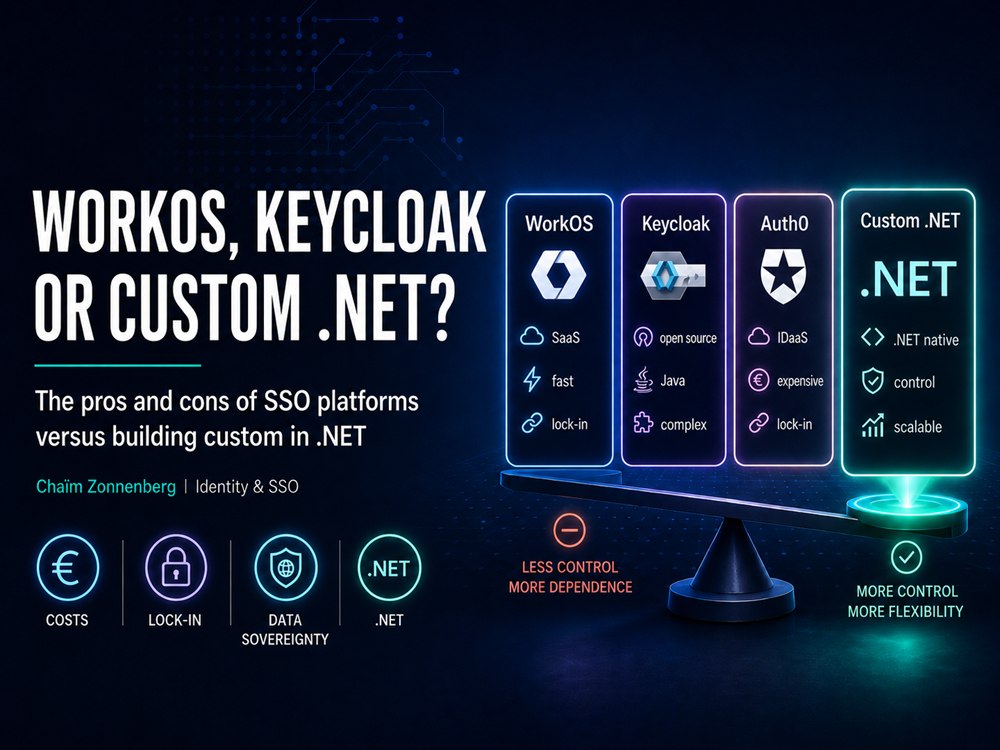
How to build SCIM turns out to be the easy question. The harder one: build it yourself (four to six weeks, and you own every edge case above), or have someone who has shipped a few do it alongside your team, before the assessment lands? Still weighing build versus buy? I compared WorkOS, Keycloak, Auth0 and custom .NET in a separate piece. Already decided to build, and want it to survive a real tenant? That is the work. Which piece are you missing first, the provisioning or the sign-in?